Research-based review: This article is based on OBDLink first-party documentation and current Amazon catalog data. We have not hands-on tested the adapter with every FORScan workflow.
Affiliate disclosure: As an Amazon Associate I earn from qualifying purchases.
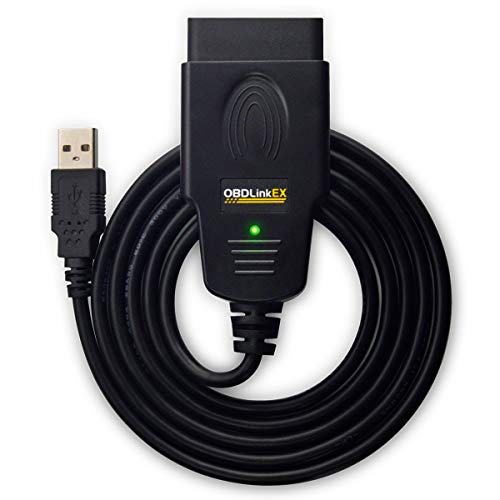
Quick Verdict
The OBDLink EX is a wired USB OBD2 adapter aimed primarily at Windows users and FORScan workflows, especially Ford-family diagnostics. It supports standardized OBD-II plus Ford MS-CAN access and is a strong fit when connection stability matters more than wireless convenience. It is not an iOS adapter and advanced functions come from compatible software such as FORScan rather than from the cable alone.
Check current OBDLink EX price on Amazon
Key Specifications
| Connection | USB 2.0 |
|---|---|
| Primary platform | Windows; Android possible with USB OTG |
| OBD2 scope | All legislated OBD-II protocols |
| Ford-specific network | MS-CAN support |
| Software emphasis | FORScan / OBDwiz and compatible software |
| Current Amazon price snapshot* | $69.95 |
*Price and availability are time-sensitive.
What It Can Do
OBDLink designed EX around FORScan and Windows. The adapter supports standardized OBD-II on compliant vehicles and adds Ford-specific MS-CAN network access that can expose more Ford-family modules when used with compatible software.
The manufacturer also highlights an electronic network switch and high-throughput wired connection, making EX more about reliability and software access than portability.
Important Limitations
- Not wireless: this is a USB adapter, not Bluetooth or Wi-Fi.
- No iOS support: OBDLink’s platform guidance does not position EX as an iPhone/iPad adapter.
- Advanced functions are software-dependent: FORScan capabilities should not be described as built-in standalone EX features.
- Android requires USB OTG: a compatible OTG connection is needed.
Best For
- Ford owners using FORScan on Windows.
- Users who prefer a wired connection for long diagnostic sessions.
- DIYers who want standardized OBD-II support plus Ford MS-CAN access.
Who Should Skip
- iPhone/iPad users.
- Buyers who want a wireless phone adapter.
- Users who want a self-contained handheld scanner with its own screen.
Alternatives
For wireless multi-platform use, see our OBDLink MX+ review. For BMW-focused BLE use, see the OBDLink CX. Our OBDLink guide explains how the current models fit together.
Explore This Topic
Methodology & Sources
We used OBDLink’s official EX product page, support documentation, and platform/app guidance. Amazon data is used only for current listing and price context. Software-dependent functions remain conditional on the selected app and vehicle.