Category: Bluetooth OBD2 Scanners

Wireless OBD2 adapters and Bluetooth scan tools for iPhone, Android, and compatible apps.

  • OBDLink LX Review: Android and Windows Bluetooth OBD2 Adapter With Clear Limits

    Research-based review: We have not hands-on tested this adapter. Our assessment is based on OBDLink first-party documentation, current Amazon marketplace data, and comparison with other verified Bluetooth OBD-II adapters.

    OBDLink LX product image on Amazon
    Product image provided via Amazon Creators API. Image links to the relevant Amazon product page.

    Quick Verdict

    The OBDLink LX is a Bluetooth OBD-II adapter for Android and Windows users who want reliable standardized OBD-II diagnostics without paying for the extra proprietary-network support found in higher OBDLink models. OBDLink verifies Check Engine Light read/clear functions, real-time monitoring, all legislated OBD-II protocols, and free firmware updates. At our current Amazon snapshot of $89.95, it is a premium basic adapter rather than a universal enhanced-diagnostics solution.

    The biggest buying caveat is platform and network scope: OBDLink does not position the LX as an iOS adapter, and it directs buyers to higher models for proprietary Ford MS-CAN and GM SW-CAN access.

    Affiliate disclosure: As an Amazon Associate, Scan Tool Compass earns from qualifying purchases.

    Check current OBDLink LX price on Amazon →

    Key Specifications

    Area Verified information
    Product class Bluetooth OBD-II adapter
    Platforms Android and Windows
    Generic diagnostics Read/clear Check Engine Light and standardized OBD-II data
    Live data Real-time monitoring verified
    Protocols All legislated OBD-II protocols
    Vehicle baseline 1996-and-newer U.S. cars/light trucks that comply with OBD-II
    Firmware Free firmware updates
    iOS Not the intended platform per cited first-party page
    Ford MS-CAN / GM SW-CAN Higher OBDLink models are recommended for these proprietary networks
    Price snapshot $89.95 USD; time-sensitive

    What the OBDLink LX Can Do

    OBDLink confirms that the LX handles standardized OBD-II diagnostics, including reading and clearing Check Engine-related information and monitoring real-time vehicle parameters through compatible Android or Windows software.

    It supports all legislated OBD-II protocols, which is the core reason it can work across a broad range of compliant U.S. vehicles from 1996 onward.

    Android and Windows Focus

    The LX is aimed at Android and Windows users. OBDLink provides its Android app and Windows software, so buyers can use the adapter without relying entirely on an unknown third-party application.

    If your primary device is an iPhone or iPad, this is not the OBDLink model to choose based on the first-party material we verified. Look at an iOS-compatible adapter instead.

    Generic OBD-II vs Enhanced Vehicle Networks

    The LX covers the legislated OBD-II layer, but OBDLink explicitly points users toward higher models when proprietary Ford MS-CAN or GM SW-CAN network access is required.

    That distinction matters because generic engine/emissions diagnostics and manufacturer-enhanced module access are not the same thing. A Bluetooth adapter should not be called “full system” simply because some software can provide extra functions on specific vehicles.

    Firmware Updates

    OBDLink confirms free firmware updates for the LX. Firmware support can matter for a reusable adapter because communication reliability and software compatibility may improve over time.

    Important Limitations

    • No iOS positioning: The cited first-party documentation identifies Android and Windows support, not iOS.
    • No proprietary Ford/GM networks in this model: OBDLink points to higher models for MS-CAN and SW-CAN access.
    • Not automatically full-system: Standard OBD-II support does not equal universal ABS, SRS, body, or bidirectional access.
    • App capability still matters: The adapter provides the communication layer; the software determines the interface and any supported enhanced functions.

    Best For

    • Android users who want a reputable Bluetooth OBD-II adapter.
    • Windows users who want standardized OBD-II diagnostics and live data.
    • Drivers who need Check Engine diagnostics more often than enhanced manufacturer networks.
    • Buyers who value first-party software support and free firmware updates.

    Who Should Skip It

    Skip the LX if you use iOS, require Ford MS-CAN or GM SW-CAN workflows, or need a dedicated all-system/bidirectional scanner. In those cases, another adapter or a dedicated diagnostic tool is a better fit.

    Alternatives

    The OBDLink CX is an iOS/Android BLE option with BimmerCode-oriented positioning. The OBDLink MX+ adds a broader verified ecosystem, including iOS/Android/Windows plus Ford MS-CAN and GM SW-CAN support. The Veepeak OBDCheck BLE+ is a lower-cost phone-based generic OBD-II option with a more app-dependent workflow.

    Related Reading

    Explore This Topic

    Methodology & Sources

    This review uses OBDLink first-party product and support documentation. We keep standardized OBD-II capability separate from app- or vehicle-dependent enhanced diagnostics.

    • OBDLink LX official product page
    • OBDLink LX Bluetooth information
    • OBDLink LX official support

    The Practical Takeaway

    The OBDLink LX is a strong Android/Windows choice for standardized OBD-II diagnostics, live data, and long-term firmware support. Its limitations are equally clear: no iOS positioning and no proprietary Ford MS-CAN or GM SW-CAN support in this model. If those limits match your needs, the LX offers a focused, well-documented Bluetooth workflow.

    Check current OBDLink LX availability on Amazon →

  • OBDLink CX Review: Bluetooth BLE OBD2 Adapter for iOS, Android, and BimmerCode

    Research-based review: We have not hands-on tested this adapter. Our assessment is based on OBDLink documentation, current Amazon marketplace data, and comparison with other verified Bluetooth OBD2 adapters.

    OBDLink CX product image on Amazon
    Product image provided via Amazon Creators API. Image links to the relevant Amazon product page.

    Quick Verdict

    The OBDLink CX is a premium Bluetooth 5.1 BLE adapter aimed at drivers who want a compact phone-based diagnostic platform, especially when BimmerCode compatibility matters. OBDLink confirms iOS and Android support, generic diagnostics through the OBDLink app, live parameter monitoring, Check Engine Light clearing, documented CAN/ISO/KWP protocols, and lifetime firmware upgrades. At our current Amazon snapshot of $79.95, the key value is the adapter-and-app ecosystem—not a promise of universal coding or all-system diagnostics.

    Affiliate disclosure: As an Amazon Associate, Scan Tool Compass earns from qualifying purchases.

    Check current OBDLink CX price on Amazon →

    Key Specifications

    Area Verified information
    Connection Bluetooth 5.1 BLE
    Mobile platforms iOS and Android
    Generic diagnostics Live parameters, generic OBD-II diagnostics, Check Engine clearing through OBDLink app
    BimmerCode OBDLink positions CX for BimmerCode-supported vehicles/features
    Protocols OBDLink documents supported CAN/ISO/KWP protocols
    Firmware Lifetime firmware upgrades stated by OBDLink
    Price snapshot $79.95 USD; time-sensitive

    What the OBDLink CX Can Do

    At the standardized OBD-II level, OBDLink’s own app can monitor live parameters, perform generic diagnostics, and clear the Check Engine Light. That covers the common phone-based workflow of reading engine faults, watching data, and using a mobile interface instead of carrying a dedicated handheld scanner.

    OBDLink also positions the CX for BimmerCode and states support for vehicles and features supported by BimmerCode. That is an important distinction: the adapter provides the communication hardware, while the app and vehicle determine what manufacturer-specific functions are actually available.

    Bluetooth 5.1 BLE Matters

    The CX uses Bluetooth Low Energy rather than Classic Bluetooth. OBDLink confirms iOS and Android support. For buyers choosing between Bluetooth adapters, this platform detail matters because not every adapter uses the same connection method or supports the same phone operating systems.

    If you are comparing phone-based tools more broadly, read Bluetooth vs Wired OBD2 Scanners.

    Important Limitations

    • App-dependent enhanced functions: Manufacturer-specific coding and diagnostics depend on the app and supported vehicle.
    • Not universal BMW coding: BimmerCode positioning does not mean every BMW/MINI feature is supported on every vehicle.
    • Not automatically a full-system scanner: Do not treat the adapter alone as proof of universal ABS/SRS/body-module access.
    • BLE workflow: The CX uses BLE rather than Classic Bluetooth, which matters for app/device compatibility.

    Best For

    • iPhone or Android users who want a quality Bluetooth adapter.
    • BimmerCode users who have already checked vehicle/app compatibility.
    • Drivers who want live parameter monitoring and generic OBD-II diagnostics on a phone.
    • Buyers who value lifetime firmware upgrades from the adapter manufacturer.

    Who Should Skip It

    Skip the CX if you want a self-contained scanner with its own display, or if you need guaranteed multi-brand full-system diagnostics without relying on app support. Buyers who need broad Ford/GM network support should also compare the OBDLink MX+, whose verified network support is broader in our source set.

    Alternatives and Upgrade Path

    The Veepeak OBDCheck BLE+ is a lower-cost generic OBD-II option. The OBDLink MX+ costs more but has verified Ford MS-CAN and GM SW-CAN support plus a broader documented OBDLink ecosystem.

    For a direct value comparison in the Bluetooth category, see Veepeak OBDCheck BLE+ vs OBDLink MX+.

    Related Reading

    Explore This Topic

    Methodology & Sources

    This review uses OBDLink’s official CX product and support documentation. App-specific capabilities are kept conditional because the selected software and vehicle determine enhanced functions.

    • OBDLink CX official product page
    • OBDLink CX official support
    • OBDLink CX adapter notes

    The Practical Takeaway

    The OBDLink CX is a strong fit when you deliberately want a BLE phone-based adapter and understand that enhanced functions live in the app-and-vehicle combination. Its BimmerCode positioning and lifetime firmware upgrades are useful differentiators, but buyers should not confuse app compatibility with universal coding or all-system coverage.

    Check current OBDLink CX availability on Amazon →

  • OBDLink MX+ Review: Premium Bluetooth OBD2 Adapter With Broad App Support

    Research-based review: We have not hands-on tested this unit. Our assessment is based on OBDLink documentation, current Amazon marketplace data, and comparison with nearby Bluetooth scanner options.
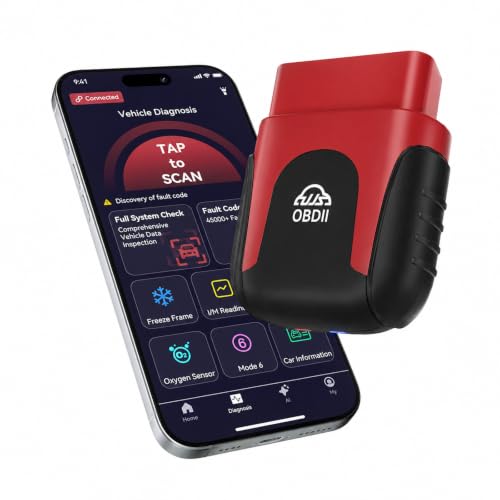
    OBDLink MX+ product image on Amazon
    Product image provided via Amazon Creators API. Image links to the relevant Amazon product page.

    Quick Verdict

    The OBDLink MX+ is a premium Bluetooth OBD2 adapter for buyers who want broad device support and a stronger software ecosystem than a basic generic dongle. OBDLink confirms support for iOS, Android, and Windows, all legislated OBD-II protocols, Ford MS-CAN, and GM SW-CAN, along with its own apps and support for many third-party applications.

    The important limitation is that the MX+ hardware should not be confused with a universal all-system scanner. Enhanced OEM diagnostics, service functions, and coding depend on the vehicle and the app being used. At the current Amazon snapshot used for this review, the MX+ was listed at $139.95.

    Affiliate disclosure: As an Amazon Associate, Scan Tool Compass earns from qualifying purchases.

    Check current OBDLink MX+ price on Amazon →

    Key Specifications

    Item Verified information
    Product type Bluetooth OBD2 adapter
    Device platforms iOS, Android, Windows
    Protocol/network support All legislated OBD-II protocols, Ford MS-CAN, GM SW-CAN
    Core function Read/clear Check Engine information through compatible software
    Software ecosystem OBDLink app, OBDWiz for Windows, many third-party apps
    Firmware Free firmware updates
    Power management BatterySaver low-power mode
    Current price snapshot $139.95 USD

    What the OBDLink MX+ Can Do

    OBDLink confirms that the MX+ supports the legislated OBD-II protocols used for standardized engine and emissions diagnostics on 1996-and-newer cars and light trucks sold in the United States. That makes it suitable for the core jobs most people expect from an OBD2 adapter: communicating with the standardized diagnostic layer and reading or clearing Check Engine-related information through compatible software.

    Unlike a standalone reader, the MX+ is part of an app-based workflow. OBDLink supports its own OBDLink app and OBDWiz software for Windows, and the company also documents compatibility with many third-party apps. That software flexibility is one of the main reasons to consider a premium adapter instead of the cheapest Bluetooth dongle available.

    Extra network support

    OBDLink also confirms Ford MS-CAN and GM SW-CAN network support. Those networks can matter for certain enhanced vehicle data and app-based workflows. However, network support by itself does not guarantee that every advanced diagnostic function is available on every Ford or GM vehicle. The app and the vehicle-specific data coverage still determine what you can actually access.

    OEM-specific add-ons

    OBDLink confirms free OEM-specific data add-ons within its ecosystem. This is useful because a Bluetooth adapter can be more than a generic code reader when the combination of hardware, app, and vehicle is supported. The safe way to evaluate those advanced features is to check the exact vehicle and software combination rather than treating the MX+ as a universal ABS/SRS/coding tool.

    Firmware and low-power behavior

    OBDLink confirms free firmware updates and BatterySaver low-power mode. For buyers who intend to use an adapter regularly, ongoing firmware support is a meaningful difference from unknown generic adapters with little or no first-party support.

    Important Limitations

    The MX+ has a wider verified connectivity story than a basic OBD2 reader, but advanced diagnostics remain conditional.

    • Do not assume universal ABS/SRS access. Enhanced OEM diagnostics depend on supported vehicle and software.
    • Do not assume service resets are built into the adapter itself. Some functions may be available only through particular apps and vehicle combinations.
    • Do not treat coding as universal. Coding or configuration capability, where available, is software- and vehicle-dependent.
    • The safest universal claim is legislated OBD-II support. The deeper you go into manufacturer-specific systems, the more important exact coverage becomes.

    This is the key difference between a Bluetooth adapter and a dedicated full-system scanner. The hardware can provide the communication layer, while the app determines much of the user experience and enhanced functionality. Our Bluetooth vs wired OBD2 scanner guide explains that distinction in more detail.

    Best For

    The OBDLink MX+ is a strong fit for:

    • Drivers who want one Bluetooth adapter that supports iOS, Android, and Windows
    • Users who plan to work with multiple compatible diagnostic apps
    • People who value first-party firmware support
    • Ford or GM owners whose intended app can use the MX+ network support
    • DIY users who want a more expandable app-based platform than a basic generic dongle

    Who Should Skip It

    Skip the MX+ if your only goal is occasional generic Check Engine code reading and you do not care about app flexibility. A lower-cost Bluetooth adapter or basic wired reader may cover that narrower job.

    You should also skip it if you are buying specifically for one ABS, SRS, service-reset, or coding function without first confirming that exact function for your vehicle and chosen app. The MX+ is not a substitute for a coverage check.

    Alternatives and Upgrade Path

    If your priority is lower-cost generic Bluetooth OBD2 access, see our Veepeak OBDCheck BLE+ review. If you want to move away from phone-based diagnostics entirely, browse Basic Code Readers or review our basic vs full-system scanner comparison.

    If your real requirement is deep manufacturer-specific module access and active tests across many vehicle systems, consider a dedicated full-system or bidirectional platform rather than relying on an adapter-and-app combination.

    Related Reading

    Explore This Topic

    Methodology & Sources

    This review is based on OBDLink first-party product and support documentation. We verified the supported device platforms, legislated OBD-II protocol coverage, Ford MS-CAN and GM SW-CAN network support, included OBDLink/OBDWiz software, third-party app support, OEM-specific data add-ons, firmware update policy, BatterySaver mode, and the company’s stated 1996-and-newer U.S. OBD-II compatibility.

    We deliberately keep enhanced OEM diagnostics, service functions, and coding conditional because OBDLink’s ecosystem depends on the specific vehicle and software being used.

    • OBDLink MX+ official product page
    • OBDLink MX+ official support

    The Practical Takeaway

    The OBDLink MX+ is best viewed as a well-supported Bluetooth diagnostic platform rather than a promise of universal enhanced diagnostics. Its verified strengths are broad device support, legislated OBD-II coverage, extra Ford/GM network support, app flexibility, firmware updates, and low-power behavior. If those benefits match the way you want to diagnose cars, it can justify its higher price. If you only need basic codes, you may not need to spend this much.

  • Veepeak OBDCheck BLE+ Review: A Flexible Bluetooth OBD2 Adapter

    Research-based review: We have not hands-on tested this adapter. Our assessment is based on Veepeak’s product documentation, current marketplace data, and comparison with nearby Bluetooth OBD2 options.

    Veepeak OBDCheck BLE+ product image on Amazon
    Product image provided via Amazon Creators API. Image links to the relevant Amazon product page.

    Quick Verdict

    The Veepeak OBDCheck BLE+ is a compact Bluetooth OBD2 adapter for drivers who prefer phone-based diagnostics over a dedicated handheld scanner. Veepeak confirms generic OBD-II functions such as reading engine trouble codes, clearing the Check Engine Light, I/M readiness, and real-time sensor data through compatible apps.

    Its biggest strength is flexibility: it supports Bluetooth LE for iOS and Classic Bluetooth for Android and Windows. Its biggest limitation is equally important: the adapter requires an app, and enhanced diagnostics depend heavily on that app and the vehicle. Do not buy it expecting universal ABS, SRS, TPMS, coding, or service-reset functions.

    Latest price snapshot: around $41.98 at our latest Amazon data check. Price and availability can change.

    Affiliate disclosure: Scan Tool Compass may earn a commission from qualifying purchases made through affiliate links, at no additional cost to you.

    Check Veepeak OBDCheck BLE+ price on Amazon →

    Key Specifications and Verified Capabilities

    Area Verified information
    Connection Bluetooth LE for iOS; Classic Bluetooth for Android/Windows
    Generic OBD2 Read engine DTCs, clear Check Engine Light, I/M readiness, real-time sensor data through compatible apps
    App requirement Yes; OBD2 app required and not included
    USA vehicle baseline Veepeak states coverage begins with 1996 OBD-II vehicles
    EVs Excluded from Veepeak’s stated generic OBD-II use case
    MS-CAN / SW-CAN Not supported by this adapter
    Oil/maintenance reset Not supported as a native generic function
    EPB/brake reset Not supported as documented by Veepeak
    Relearn/adaptation Not supported as documented by Veepeak

    What It Can Do

    Turn your phone into a basic OBD2 scanner

    For generic engine/emissions diagnostics, the OBDCheck BLE+ can cover the jobs many drivers actually need: reading trouble codes, checking readiness, and viewing live engine data through a compatible app.

    If you are comfortable using a phone, this can be more convenient than carrying a second screen. It also opens the door to graphing, dashboards, and logging when the selected app supports them.

    Our guide to Bluetooth vs wired OBD2 scanners explains why the app becomes a major part of the buying decision.

    Work across iPhone, Android, and Windows

    Veepeak explicitly documents different Bluetooth modes for different platforms: BLE for iOS and Classic Bluetooth for Android/Windows. That cross-platform support is one of the strongest reasons to consider the BLE+ over cheaper generic adapters with narrower compatibility.

    View real-time sensor data

    Live data can make a Bluetooth adapter more useful than a basic code-only reader because a phone screen is well suited to graphs and dashboards. But the diagnostic value comes from knowing which parameters to watch—not from displaying as many gauges as possible.

    See What Is Live Data on an OBD2 Scanner? for a practical workflow.

    Important Limitations

    The app is part of the product experience

    Veepeak states that an OBD2 app is required and not included. That means total cost and capability depend on the app you choose. Some apps are free, some have paid upgrades, and some offer manufacturer-specific features only for selected vehicles.

    Do not evaluate the adapter price alone. Evaluate the complete adapter + app combination.

    Enhanced diagnostics are not universal

    A common mistake with Bluetooth adapters is to see an app advertising ABS, SRS, TPMS, or coding and assume the adapter itself universally provides those features. Veepeak explicitly warns that enhanced diagnostics depend on app and vehicle support.

    If you need one specific enhanced function, verify the exact app/vehicle combination before buying.

    No native maintenance resets or relearns in the documented generic feature set

    Veepeak explicitly lists unsupported functions including oil/maintenance reset, EPB/brake reset, relearning, and adaptation. That makes the BLE+ a better fit for diagnostics and data than for maintenance-service workflows.

    No MS-CAN or SW-CAN support

    Veepeak states that these networks are not supported. If your use case depends on Ford MS-CAN or GM SW-CAN enhanced access, this limitation matters and another adapter may be a better choice.

    Best For

    • iPhone or Android users who prefer app-based diagnostics
    • Drivers who want code reading, readiness, and live data
    • Users who value graphing and logging
    • DIY owners who already know which app they want to use
    • People who want a compact adapter instead of a handheld scanner

    Who Should Skip It

    • Anyone who wants a self-contained scanner with no phone
    • Users buying specifically for oil reset, EPB reset, relearn, or adaptation
    • Anyone expecting universal ABS/SRS/TPMS/coding functions
    • Users whose vehicle/app workflow requires MS-CAN or SW-CAN
    • Owners of vehicles outside Veepeak’s documented generic OBD-II use case

    Alternatives and Upgrade Path

    If you want simple plug-and-read diagnostics

    A wired code reader such as the ANCEL AD310 can be easier because it does not depend on a phone or app. Browse basic code readers.

    If you want a more premium Bluetooth ecosystem

    OBDLink MX+ is a higher-priced Bluetooth option with documented iOS/Android/Windows support, free firmware updates, all legislated OBD-II protocols, and additional network support. Its enhanced functions still depend on app and vehicle, but it is positioned as a broader premium adapter.

    If you need service resets or active tests

    Move beyond generic Bluetooth OBD2 and choose a scanner with verified service or bidirectional coverage for your vehicle.

    Is the Veepeak OBDCheck BLE+ Worth It?

    It is a strong fit when you want a reliable bridge between the OBD2 port and a phone-based diagnostic app, and your needs center on generic engine/emissions diagnostics, live data, dashboards, and logging.

    It is a poor fit if your purchase decision is driven by service resets or enhanced module access. In that case, the safest move is to start with the exact feature you need and work backward to a verified tool/app combination.

    Methodology & Sources

    This is a research-based review, not a hands-on test. We use Veepeak’s first-party documentation for supported and unsupported functions and treat marketplace price as time-sensitive.


    Related Reading


    Explore This Topic